New user rights
505.510 – Edit exported payments
102.900 - Contact – Show email preview for private mails
New placeholders
{GrossTotal_B2B} - Sum of all B2B prices of a project, incl. VAT
{SPTotal_B2B} - {GesamtEUR_B2B} - Sum of all B2B prices of a project, incl. VAT
{1stSalesTax%_B2B} - {MWStVoll%_B2B} - Percentage of the full VAT of the B2B prices
New events for automatic scripts
Items – before editing variants
Items – after editing variants
Client – Logout
Enhancement of the script event “Items – calculate in the web“ for usage in the sales rep web access
Enhancement of the script event „Items – calculate in the web“ for usage in the method „CGI_B2B_ProjectStart/BTN_AddPos_Artikel_@“
New API methods
Tool_SaveReportRights - New method call for usage in the free data manipulation to export the user report rights into a csv file
Tool_Prj_Reservieren - New method call to set the status "reserved" in the projects by script
Parameter:
Tool_Prj_Reservieren(bUserInteraction;ptrAlertMsg;dDate)
- (Optional) bUserInteraction: Boolean, default: true => User will be asked, whether he really wants to reserve the selected projects, he can enter a reserve date and he gets a message in the case of an error
- (Optional) ptrAlerMsg: Pointer to String-Variable, only needed, if bUserInteraction = false => In the case of an error the message will be written to that variable that the pointer refers to
- (Optional) dDate: Date, default: actual date, only needed if bUserInteraction = false => Date when the reservation should be executed
Tool_MailStack_API
Method 1 for two-stage process for sending emails; collects all mails in a stack (temporary storage)
- (Mandatory) SMTP Host; will be taken from global settings, if empty
- (Mandatory) SMTP Benutzer; will be taken from global settings, if empty
- (Mandatory) SMTP Passwort; will be taken from global settings, if empty
- (Mandatory) Sender
- (Mandatory) Recipient
- (Mandatory) Subject
- (Mandatory) Body
- (Optional) CC-Recipient
- (Optional) BCC-Recipient
- (Optional) Booelan, HTML-Body -> default: true
- (Optional) Boolean (true - with, false - without SSL) -> default: false
- (Optional) Pointer to Text-Array complete path to email attachments
- (Optional) Integer, bodyType-constant with reference to 4D documentation for SMTP_SetPrefs, default: 1
- (Optional) Return value - Text, Success message (LangGetRes (5362)) or error description
Tool_MailStack_Run
Method 2 for two-stage process for sending emails; sends all mails from the stack to the SMTP-server; no parameters
Tool_Get_PartListVariable (->[Positionen]PrintVariables;"jum.m"{;True})
Parameters:
- (Mandatory) Pointer to [Positionen]PrintVariables of the item to be read out
- (Mandatory) Name of the part list variable to be read out
- (Optional) default false - if true, both variables will be rebuilt, even when the actual item hasn't changed
Enhancement of the optional parameters for Create_Task to set the creator of the task
All Parameters:
- (Mandatory) Text, Subject
- (Optional) Text, Task description, Default equal to subject
- (Optional) Text, Responsible user, Default <>login
- (Optional) Number, Priority, Default 2
- (Optional) Date, Due date, Default empty date
- (Optional) Bool, Memo-Flag, Default False
- (Optional) Number, Module, Default 0
- (Optional) Text, Object OID, Default ""
- (Optional) Text, Category, Default ""
- (Optional) Text, Creator, Default <>login
New parameter for Tool_Check_QuantityInStock
Factor for determination of a multiple of the stock quantity (e.g. Tool_Check_QuantityInStock([Projekte]OID;1.3) -> the quantity stored has to be 30% higher than the consumed quantity)
Enhancements B2B
Enhancement of the B2B print function: With the parameter "&printtemplate={ReportNumber}" each print report that was configured in the global settings for one of the modules contacts, sales or production can be provided in the B2B by the report number.
- \printreport&printtemplate={ReportNumber} - complete call for printing a report
- \print&printtemplate={NameOfTheTemplate} - complete call for printing a project template
Enhancement of the price calculation in B2B parts quotes: If the dealer has stored a surcharge for a part list for the end customer, this percental surcharge will also be calculated for the single parts when the quote is converted to a parts quote.
Enhancement of the B2B parts quotes: With the function BTN_Duplicate_parts_sum a parts quote will be created with summarized parts / with stock lengths instead of cut parts
Divers minor enhancements
New message box for the multi supplier form to inform the user when a data record is blocked by another user.
Enabling sorting of the columns in the localization module
Function for secure termination of the 4D server by a UPS in the case of a power breakdown. For this the UPS has to be configured to save a file 4DServerUPSShutdown.txt (no content needed) to the database folder (this one that contains the files ingenious.4DC and ingenious.4DD) in the case of an error; ingenious.V12 regularly checks the folder for that file and quits the 4D server when it detects the file.
After such a controlled shut down by the UPS the 4DServerUPSShutdown.txt has to be deleted from the database folder.
Enhancement for simultaneous adding of multiple item pictures from one folder:
With the new button  from icon bar of the item detail view multiple pictures can be added to an item with less steps in one process.
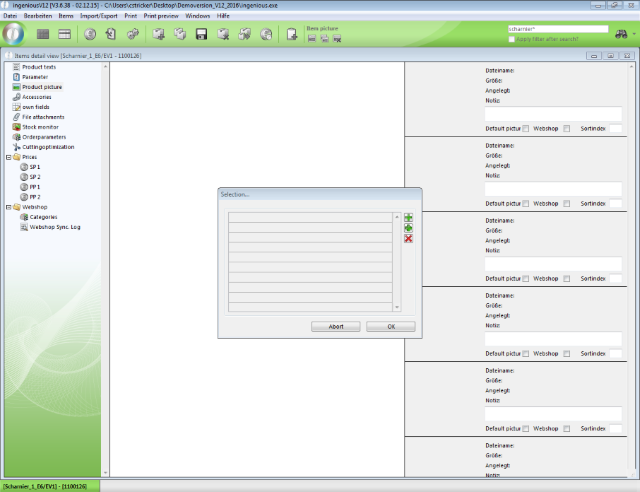
Add multiple pictures for one item
In the selection mask the following functions are available:
 |
Selection of single files, e.g. from different folders |
 |
Selection of a folder that contains all picture files to be added |
 |
Deletes the marked file from selection |
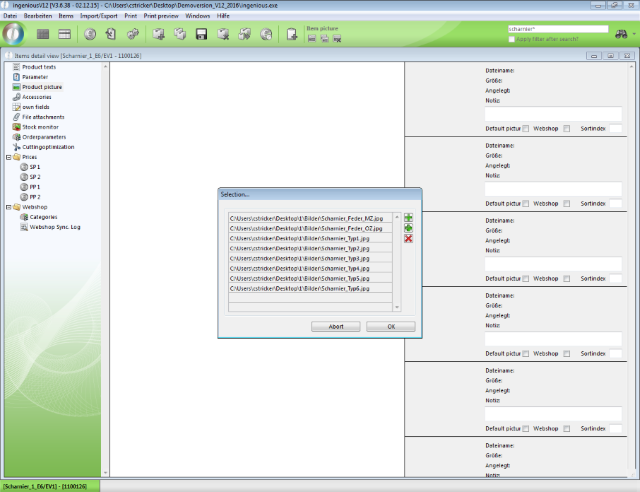
Picture selection from a folder
Enhancement of the function "Print preview in project list and detail views": Single reports can be combined to one by clicking on the parent entry (headline/folder). This works for main level as well as for sub levels.
Enhancement of the fault tolerance of the restarter to capture „Runtime Errors“
Enhancement of the global settings for a default formatting of headers and footers in project documents
Global configuration for keeping or resetting of part list items for part list recalculation in projects when part list parameters had changed in the meantime.
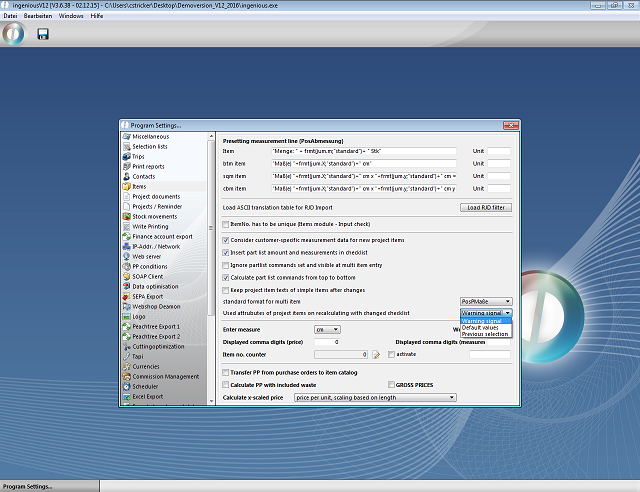
Global setting recalculation
Minor changes for recalculation of project items: Validation of numeric checklist values, recovery of macros
Enhancement of the function „Items – edit variants“ for a selection, which item pictures to transfer, if more than one pictures are stored at the source item; and selection, which picture shall be marked as default.
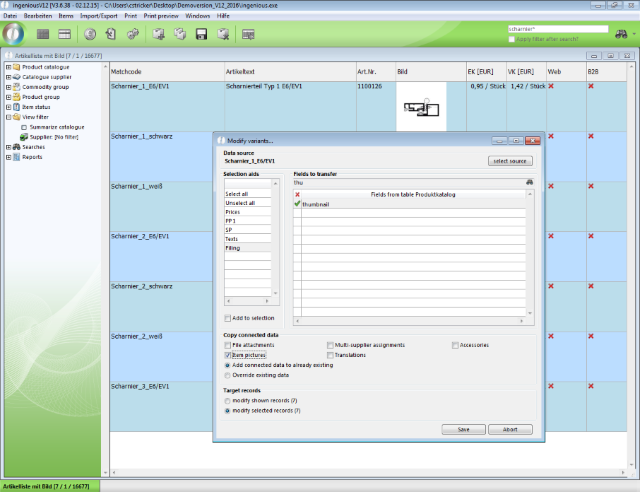
Copying item pictures with variant modification
After click on "Save" the selection and labeling of the pictures has to be done, when more than one pictures are stored at the source item.
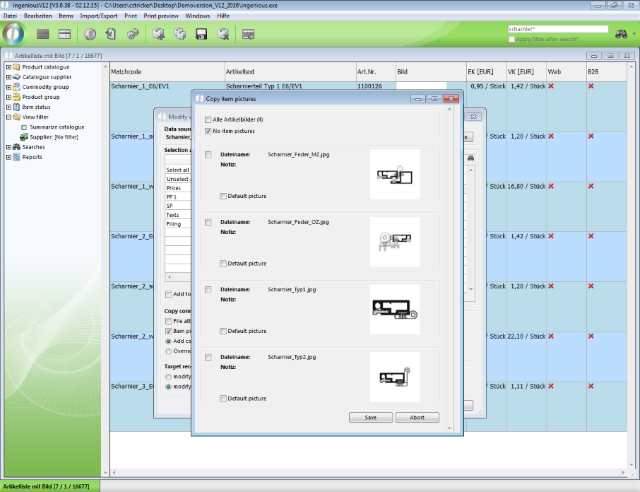
Selection and labelling of the pictures to be copied